| https:///weradocs/WeraDesk_25/WeraDesk_How.shtml |
Last update:
|
WeraDesk Web Interface Documentation - How does it work?
To start WeraDesk from a browser,
enter the following URL:
http://myhost.mydomain/~wera/WeraDesk.html
If you allowed JavaScript to open unrequested windows, a window
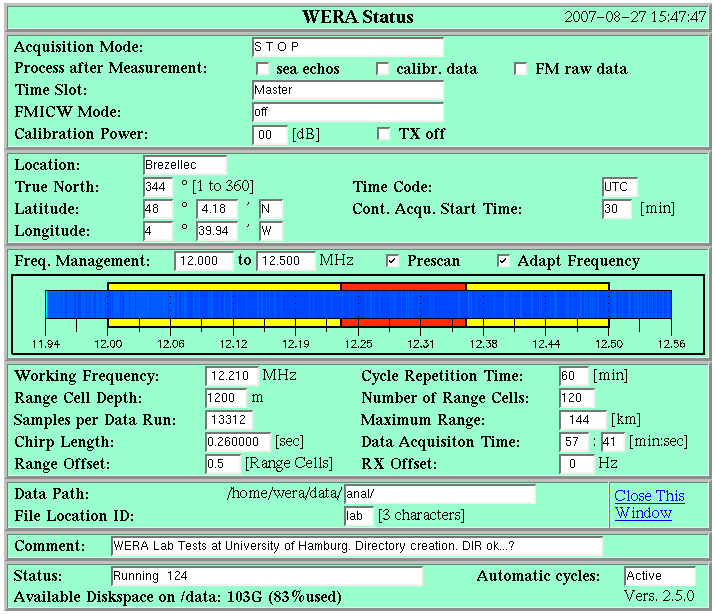
showing the current WERA status
will automatically pop up. Then fill in or modify the form as described in the
WeraDesk User's Guide
and hit [submit].
This action activates the script
/home/wera/public_html/cgi-bin/WeraDesk
(take a look at this figure for an overview):
#!/bin/bash
# WeraDesk.sh www interface for WeraDesk
#
LOCK="/home/wera/weractrl/lock.asc"
# ---------------------------------

rm -f $LOCK

/home/wera/public_html/cgi-bin/echo2file                 [1]
nohup /home/wera/public_html/cgi-bin/Proc_WeraDesk  &    [2]

while !([ -s $LOCK ])
do
   sleep 1                                               [3]
done

cat /home/wera/public_html/WeraDesk.html                 [4]

exit
|
1. The program /home/wera/public_html/cgi-bin/echo2file
receives the parameters filled in the html-form and saves them to
/home/wera/etc/WeraDesk.tmp .
2. This intermediate file is read in by /home/wera/public_html/cgi-bin/
Proc_WeraDesk , which
- reads /home/wera/WeraDesk.html.template and writes a new
/home/wera/public_html/WeraDesk.html
- reads /home/wera/Wstatus.shtml.template and writes a new
/home/wera/public_html/Wstatus.shtml
- creates a control file
/home/wera/weractrl/ctrl_data.cpy which is passed to
/home/wera/weractrl/mkcron.
- if automatic frequency adaption is enabled, creates a control file
/home/wera/weractrl/scan_data.cpy which is passed to
/home/wera/weractrl/mkcron_scan and creates the file
/home/wera/weractrl/freq_man.ctrl to contain information about the frequency management.
mkcron modifies the crontab-file to schedule calls to
stm if continuous acquisition modes
are started/stopped,
or immediately starts a measurement cycle by calling
stm directly.
mkcron_scan modifies the crontab-file to schedule calls to
stm if continuous acquisition modes
with automatic frequency adaption are started/stopped.
3. This ensures that Proc_WeraDesk has finished updating the .html pages before the script continues.
4. The command
cat /home/wera/public_html/WeraDesk.html redisplays the updated WeraDesk.html in the browser.
Notes on Crontab processing:
If stm is called from crontab enties with a parameter of
scan_data.cpy the script
/home/wera/etc/process_SCAN.sh is called after the end of the
frequency scan:
- The .RAW data file is processed by WERA_scan which
calculates a new optimum radar working frequency and generates a figure /home/wera/public_html/WERA_scan.gif.
- The new radar working frequency is passed to stm by updating
/home/wera/weractrl/ctrl_data.cpy.
- Once WERA_scan is finished and a new ctrl_data.cpy is ready,
Proc_WStatus is called to
update the WeraDesk Status page /home/wera/public_html/Wstatus.shtml.
If stm is called either from crontab entries or from
Proc_WeraDesk directly with a parameter of ctrl_data.cpy,
depending on the acquisition mode and if the relating boxes in the
WeraDesk control page are checked,
the script
is called after the end of the data acquisition cycle.
Comments to:
gurgel@ifm.uni-hamburg.de
(Klaus-Werner Gurgel)