| https:///weradocs/WeraDesk_25/WeraDesk_Apache.shtml |
The following paragraphs describe the configuration steps required for the
Apache HTTP Server 2.0.
The configuration steps required for the
Apache HTTP Server 1.3 can be found
further down on this page.
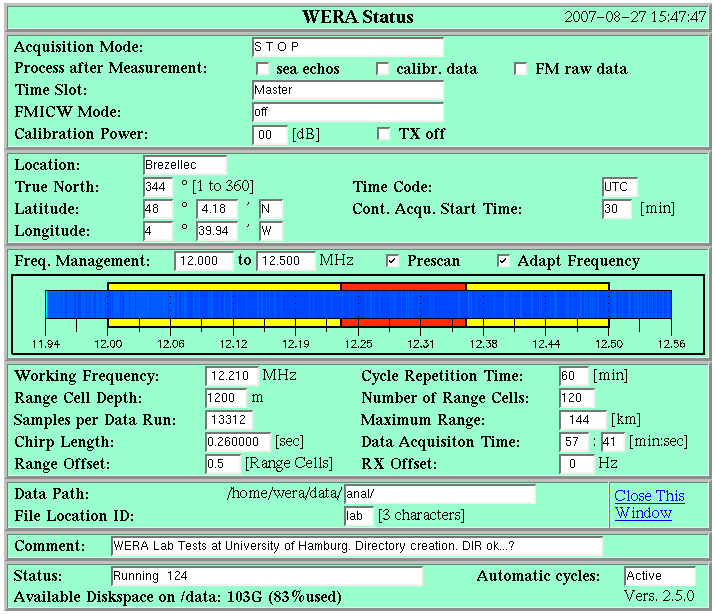
To show the last line of the WeraDesk Status Page correctly, Apache Server Side Includes (SSI) must be configured and enabled. This is the default for the SuSE 9.2 Professional Linux distribution, however some additional configuration steps are required:
The Apache WebServer's master configuration file is /etc/apache2/httpd.conf . At the end if this file, please add the line
XBitHack on |
This is necessary, as the default entry page is 'index.html' and it contains SSI commands. In this case the SSI engine is started by setting the 'ececutable' bit of index.html. '*.shtml' files are by default passed to the SSI engine.
For '.shtml' files to be served correctly, please change the file /etc/apache2/mod_mime-defaults.conf to read
# # Filters allow you to process content before it is sent to the client. # # To parse .shtml files for server-side includes (SSI): # (You will also need to add "Includes" to the "Options" directive.) # #AddType text/html .shtml #AddOutputFilter INCLUDES .shtml AddType text/html .shtml AddOutputFilter INCLUDES .shtml |
The following parameters in
/etc/apache2/mod_userdir.conf configure access to WeraDesk and the cgi-script
by ~user mapping, so WeraDesk can be accessed at
http://myhost.mydomain/~wera/WeraDesk.html
# # UserDir: The name of the directory that is appended onto a user's home # directory if a ~user request is received. # |
If you have a firewall enabled on your system ensure to foreward the access rules from the Apache configuration to the firewall configuration to allow access.
To make /home/wera/public_html accessable for Apache, enter from user root:
chmod 711 /home/wera |
Then from user wera create the directories (if they don't already exist) :
mkdir /home/wera/public_html mkdir /home/wera/public_html/cgi-bin mkdir /home/wera/etc |
Now you can unpack the weradocs_xxx.tar.gz package:
(assuming you have the archive mounted at /mnt/cdrom)
cd /home/wera tar -xvzf /mnt/cdrom/weradocs_xxx.tar.gz |
To make .html pages accessable to apache, execute the following commands after installing files to /home/wera/public_html :
cd /home/wera chmod 755 public_html cd public_html chmod -R 755 * |
The Apache WebServer's configuration file is /etc/httpd/httpd.conf . Edit the following parameters to configure the WebServer's name [myhost.mydomain] and accessibility (this may be different within your Linux distribution, e.g. SuSE 8.1 enters 'DocumentRoot' and 'myhost.mydomain' automatically during installation):
# 127.0.0.1 is the TCP/IP local loop-back address, often named localhost. Your
# machine always knows itself by this address. If you use Apache strictly for
# local testing and development, you may use 127.0.0.1 as the server name.
#
#ServerName ifmpc143.ifm.uni-hamburg.de
ServerName myhost.mydomain

#
# DocumentRoot: The directory out of which you will serve your
# documents. By default, all requests are taken from this directory, but
# symbolic links and aliases may be used to point to other locations.
#
DocumentRoot "/srv/www/htdocs"
#
# This should be changed to whatever you set DocumentRoot to.
#
<Directory "/srv/www/htdocs">
#
# Controls who can get stuff from this server.
#
    Order deny,allow
    deny from all
#   allow from .ifm.uni-hamburg.de
    allow from .mydomain
|
The following parameters configure access to WeraDesk and the cgi-script
by ~user mapping, so WeraDesk can be accessed at
http://myhost.mydomain/~wera/WeraDesk.html
[configure in /etc/httpd/httpd.conf or /etc/httpd/suse_public_html.conf
(SuSE 8.1)]:
#
# UserDir: The name of the directory which is appended onto a user's home
# directory if a ~user request is received.
#
<IfModule mod_userdir.c>
    UserDir public_html
</IfModule>
#
# Control access to UserDir directories.  The following is an example
# for a site where these directories are restricted to read-only.
#
<Directory /home/*/public_html>
    AllowOverride FileInfo AuthConfig Limit
    Options MultiViews Indexes SymLinksIfOwnerMatch IncludesNoExec
    <Limit GET POST OPTIONS PROPFIND>
     Order deny,allow
     deny from all
#    allow from .ifm.uni-hamburg.de
     allow from .mydomain
    </Limit>
    <LimitExcept GET POST OPTIONS PROPFIND>
     Order deny,allow
     deny from all
#    allow from .ifm.uni-hamburg.de
     allow from .mydomain
    </LimitExcept>
</Directory>
#
# Control access to User scripts.
#
<Directory /home/*/public_html/cgi-bin>
        Options ExecCGI
        SetHandler cgi-script
</Directory>
|
To make /home/wera/public_html accessable for Apache, enter from user root:
chmod 711 /home/wera |
Then from user wera create the directories (if they don't already exist) :
mkdir /home/wera/public_html mkdir /home/wera/public_html/cgi-bin mkdir /home/wera/etc |
Now you can unpack the weradocs_xxx.tar.gz package:
(assuming you have the archive mounted at /mnt/cdrom)
cd /home/wera tar -xvzf /mnt/cdrom/weradocs_xxx.tar.gz |
To make .html pages accessable to apache, execute the following commands after installing files to /home/wera/public_html :
cd /home/wera chmod 755 public_html cd public_html chmod -R 755 * |